PhotoCraft
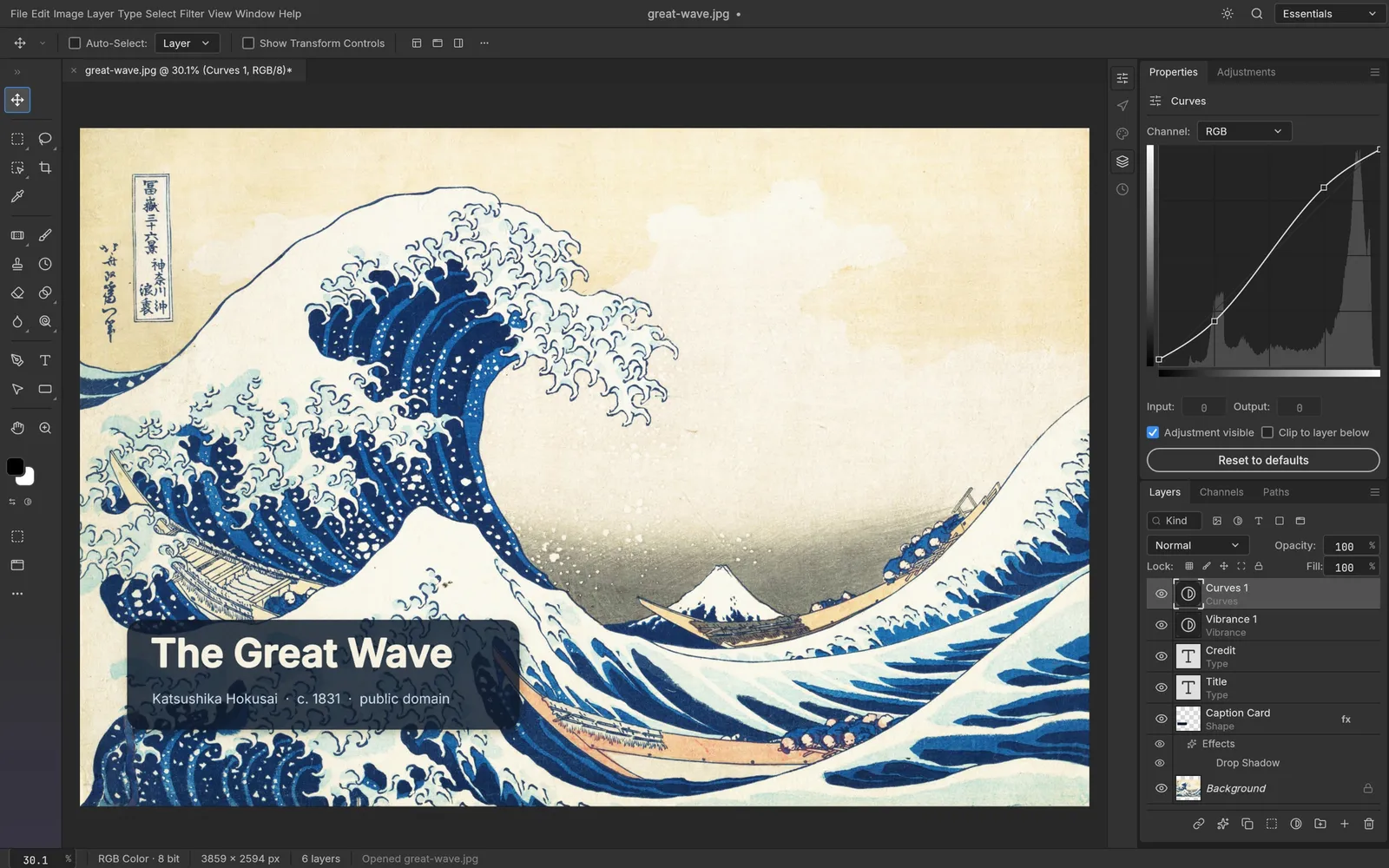
PhotoCraft is an image editor for photos and artwork. It has layers, masks, adjustment layers, layer styles, type, vector shapes, brushes and filters, and it opens and saves layered PSD files. The menus, panels, tools and shortcuts are laid out the way most professional image editors lay them out, so if you have used one, you will find your way around. It runs on Windows, macOS, Linux, FreeBSD and in a web browser. It is free and open source (MIT or Apache-2.0), and made by the ArtCraft team.
What it does
Section titled “What it does”- Layers: groups, clipping masks, layer and vector masks, fill layers, smart objects, blend modes, opacity and locks.
- Adjustment layers: Levels, Curves, Hue/Saturation, Vibrance, Black & White, Gradient Map and more. Your original pixels stay as they were.
- Selections: marquees, lassos, the Magic Wand, Quick Selection, Object Selection and Select › Subject. Smart selection runs on your computer.
- Layer styles: drop shadows, glows, bevels, strokes and overlays, on any layer, including text.
- Type: point and paragraph text that stays editable.
- Shapes and paths: rectangles, ellipses, polygons, lines and the Pen tools.
- Painting and retouching: brushes with pen pressure and tilt, healing and clone tools, dodge and burn.
- Filters: blurs, sharpening, distortions, noise and more, with a live preview on the canvas.
- Color: RGB, Grayscale, CMYK and Lab documents at 8, 16 or 32 bits per channel, with color profiles.
- Automation: record actions, run batches, or drive PhotoCraft from the command line or an AI agent.
Your files
Section titled “Your files”PhotoCraft opens and saves layered .psd and .psb files, and has its own .pcraft format. It also opens files from other editors, such as GIMP, Krita, Paint.NET and Affinity, and works with everyday formats like PNG, JPEG, WebP and TIFF. See File formats for the full list.
PhotoCraft works offline. It doesn’t need an account.
What you need
Section titled “What you need”- Windows (64-bit, ARM or 32-bit), macOS (Apple silicon or Intel), Linux (x86_64, ARM64 or RISC-V) or FreeBSD.
- Or a modern web browser, for the web version.
Guides
Section titled “Guides”- Getting started: open an image, edit it and save it.
- Install and update: download PhotoCraft for your system.
- Workflows: adjustments, selections, masks, text, filters and export.
- File formats: what PhotoCraft opens, saves and exports.
- Automation and AI agents: the command-line tool and the MCP server.
- Troubleshooting: fix common problems.