CADCraft
CADCraft is a computer-aided design app for 2D drafting. If you have used a desktop CAD program, it will feel familiar: you type commands such as LINE or CIRCLE at the command line, click points, and use object snaps, layers, dimensions, hatches and blocks. It opens and saves DXF and DWG drawings, and runs on Windows, macOS, Linux, FreeBSD and in a web browser. It is free and open source (MIT or Apache-2.0), and made by the ArtCraft team.
What it does
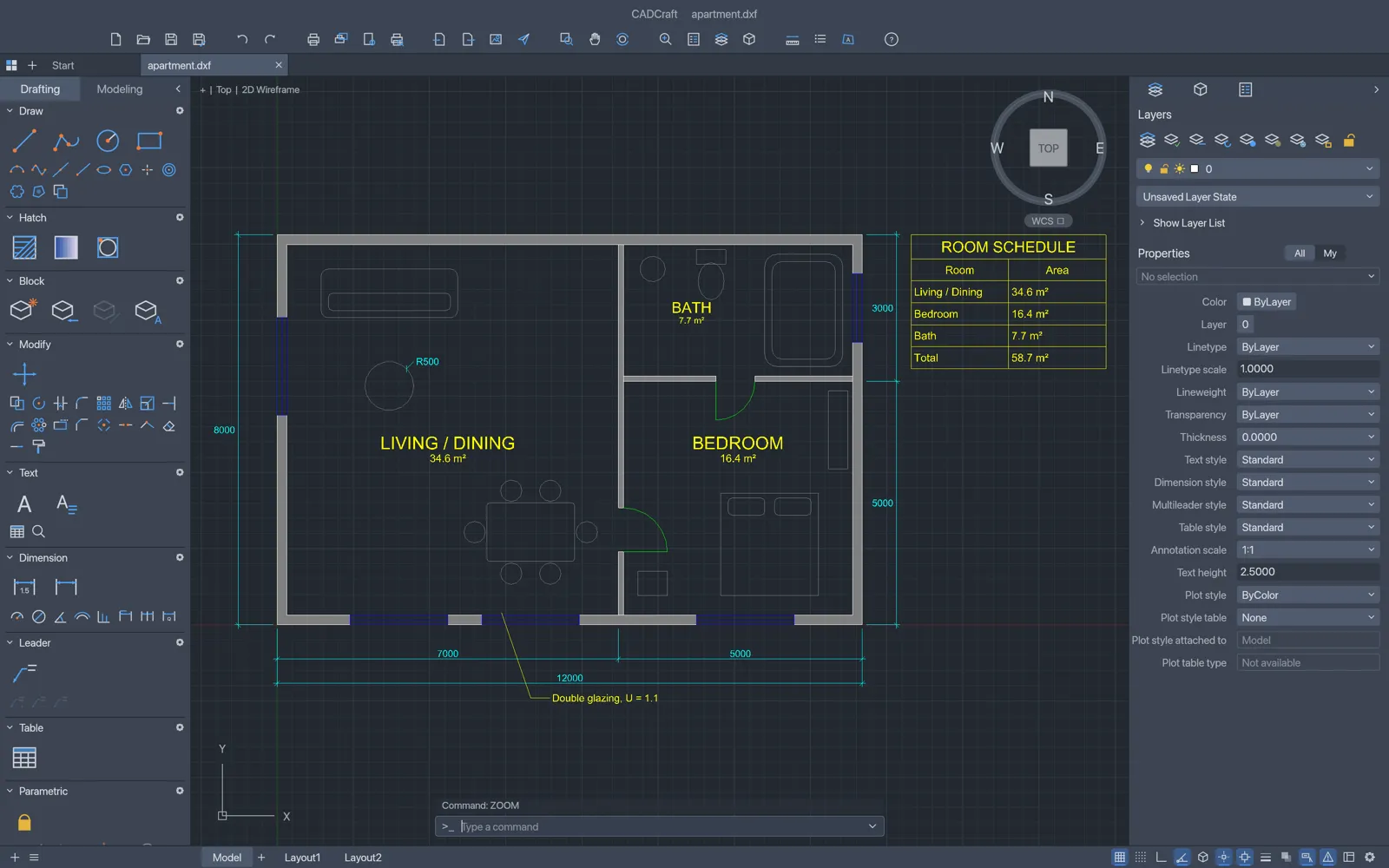
Section titled “What it does”- Command line: type a command or its alias, answer the prompts, and click the
[options]it offers. Press Enter or Space to repeat the last command. - Precise drawing: object snaps, polar tracking, ortho, grid snap, and typed coordinates such as
@10,0and@5<45. - Draw: lines, polylines, circles, arcs, rectangles, polygons, ellipses, splines, points, text and multiline text.
- Modify: move, copy, rotate, scale, mirror, stretch, offset, trim, extend, fillet, chamfer, arrays and more. Selected objects show grips you can drag.
- Layers and properties: a Layers palette, the Layer Properties Manager, and a Properties palette for editing selected objects.
- Annotation: dimensions, dimension styles, leaders, multileaders and tables.
- Hatches and blocks: pattern, solid and gradient fills, blocks with attributes.
- Layouts: paper-space sheets with viewports at a chosen scale, plotted to PDF, PNG or SVG files.
- Constraints: geometric and dimensional constraints that hold when you edit.
- Automation: scripts, LISP routines, a command-line tool and an MCP server for AI agents.
- Interface: light and dark themes, and an interface in 19 languages.
Your files
Section titled “Your files”CADCraft opens .dxf, .dwg and .dwt (template) drawings, and SVG files. It saves DXF, DWG and DWT, and exports PDF, SVG and PNG. See DWG and DXF files for what is kept and what isn’t.
Your drawings stay on your computer. CADCraft needs no account.
What you need
Section titled “What you need”- Windows (64-bit, ARM or 32-bit), macOS (Apple silicon or Intel), Linux, or FreeBSD.
- Or a modern web browser, for the web version.
Guides
Section titled “Guides”- Getting started: draw and save your first drawing.
- Install and update: download CADCraft for your system.
- Workflows: precise drawing, layers, dimensions, hatches, blocks and layouts.
- DWG and DXF files: open, save and export drawings.
- Scripts, LISP and AI agents: automate CADCraft.
- Troubleshooting: fix common problems.