
LightCraft
LightCraft is a photo library and raw developer. You import photos, sort them with ratings, flags and albums, and edit them without ever changing the original files. If you have used a photo library app such as Lightroom, it will feel familiar, and it can import your Lightroom Classic catalog. It runs on Windows, macOS, Linux, FreeBSD and in a web browser. It is free and open source (MIT or Apache-2.0), and made by the ArtCraft team.
There is no account, no cloud, no telemetry and no subscription. Your photos and your library stay on your computer.
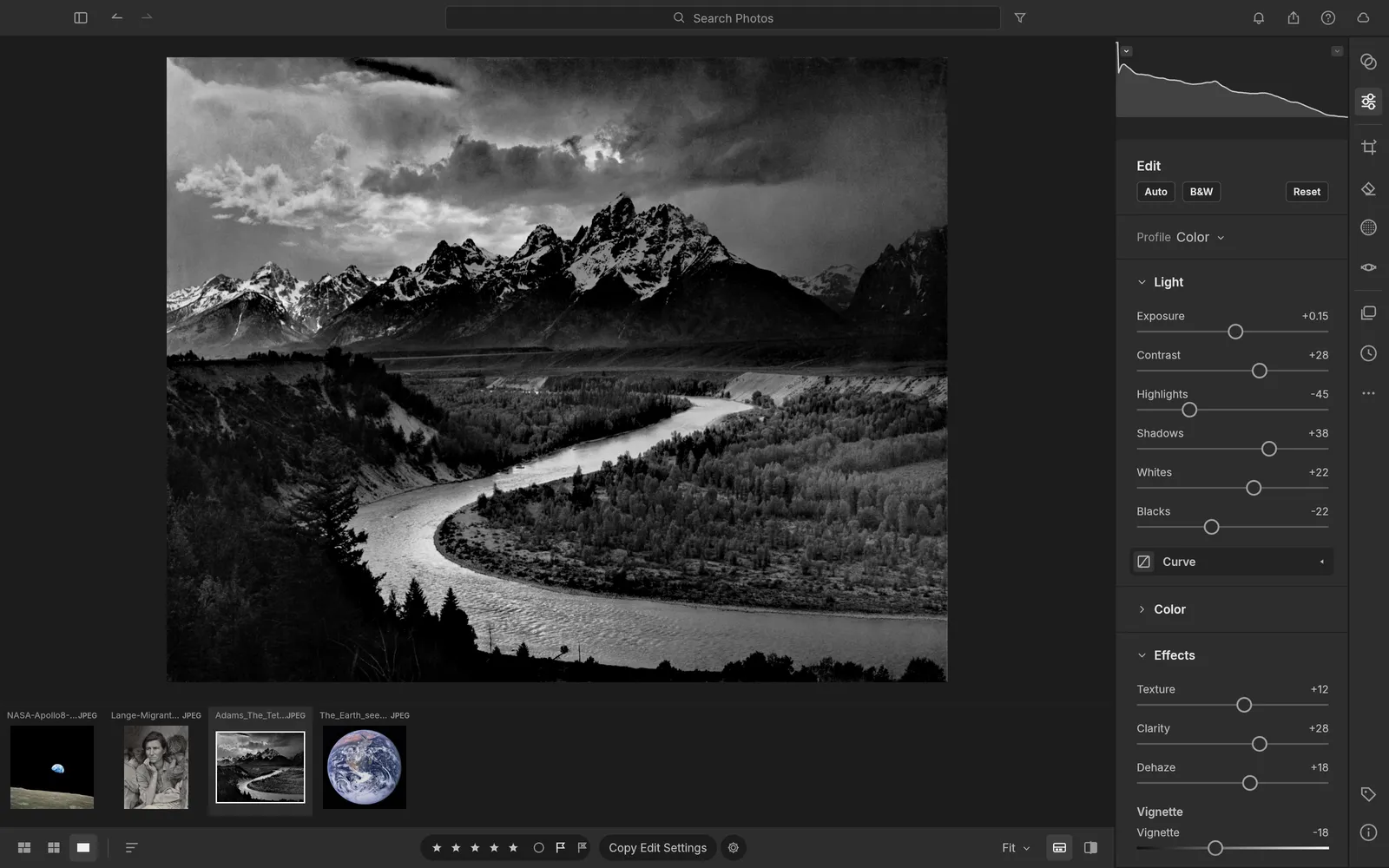
What it does
Section titled “What it does”- Library: All Photos, Recently Added, Picks, By Date, albums inside folders, smart albums, stacks and Recently Deleted. Search by rating, flag, camera, date, keyword or person.
- Culling: star ratings, pick and reject flags and color labels from the keyboard, with Compare and Survey views.
- Editing: exposure and tone, white balance, color mixer, color grading, tone curve, texture, clarity, dehaze, vignette, grain, black and white, sharpening and noise reduction.
- Masking: brush, linear and radial gradients, and luminance, color, sky, subject and background selections.
- Retouching: remove, heal and clone spots, and red eye.
- Crop and geometry: crop, straighten, flip, rotate and perspective correction.
- Presets and profiles: 41 built-in presets, your own presets, and copying edits across many photos.
- Photo Merge: HDR, panoramas and HDR panoramas.
- Output: export to many formats, contact sheets, print layouts saved as PDF, and slideshows.
- AI agents: every command can be run by an AI assistant. See AI agents.
Your files
Section titled “Your files”LightCraft reads raw files from Canon (CR2 and CR3), Sony (ARW), Nikon (NEF), Fujifilm (RAF, including X-Trans), Panasonic (RW2), Leica (RWL), Pentax (PEF) and Olympus (ORF) cameras, and DNG. It also opens JPEG, PNG, TIFF, WebP, PSD, JPEG XL, GIF and BMP. It can’t open video.
It exports JPEG, PNG, TIFF, PSD, WebP, AVIF, JPEG XL and DNG, or copies the original files with their edits in XMP sidecars.
Edits are kept in the library, so your original files are never changed. The library is a folder, by default Pictures/LightCraft Library in your home folder.
What you need
Section titled “What you need”- Windows (64-bit, ARM or 32-bit), macOS (Apple silicon or Intel), Linux or FreeBSD.
- Or a modern web browser, for the web version.
A graphics card makes editing fast, but LightCraft also runs without one.
Guides
Section titled “Guides”- Getting started: import, rate, edit and export your first photos.
- Install and update: download LightCraft for your system.
- Workflows: the library, culling, editing, masking, retouching, presets and export.
- Move over from Lightroom: import a Lightroom Classic catalog.
- AI agents: let an AI assistant cull, edit and export.
- Troubleshooting: fix common problems.