
EffectCraft
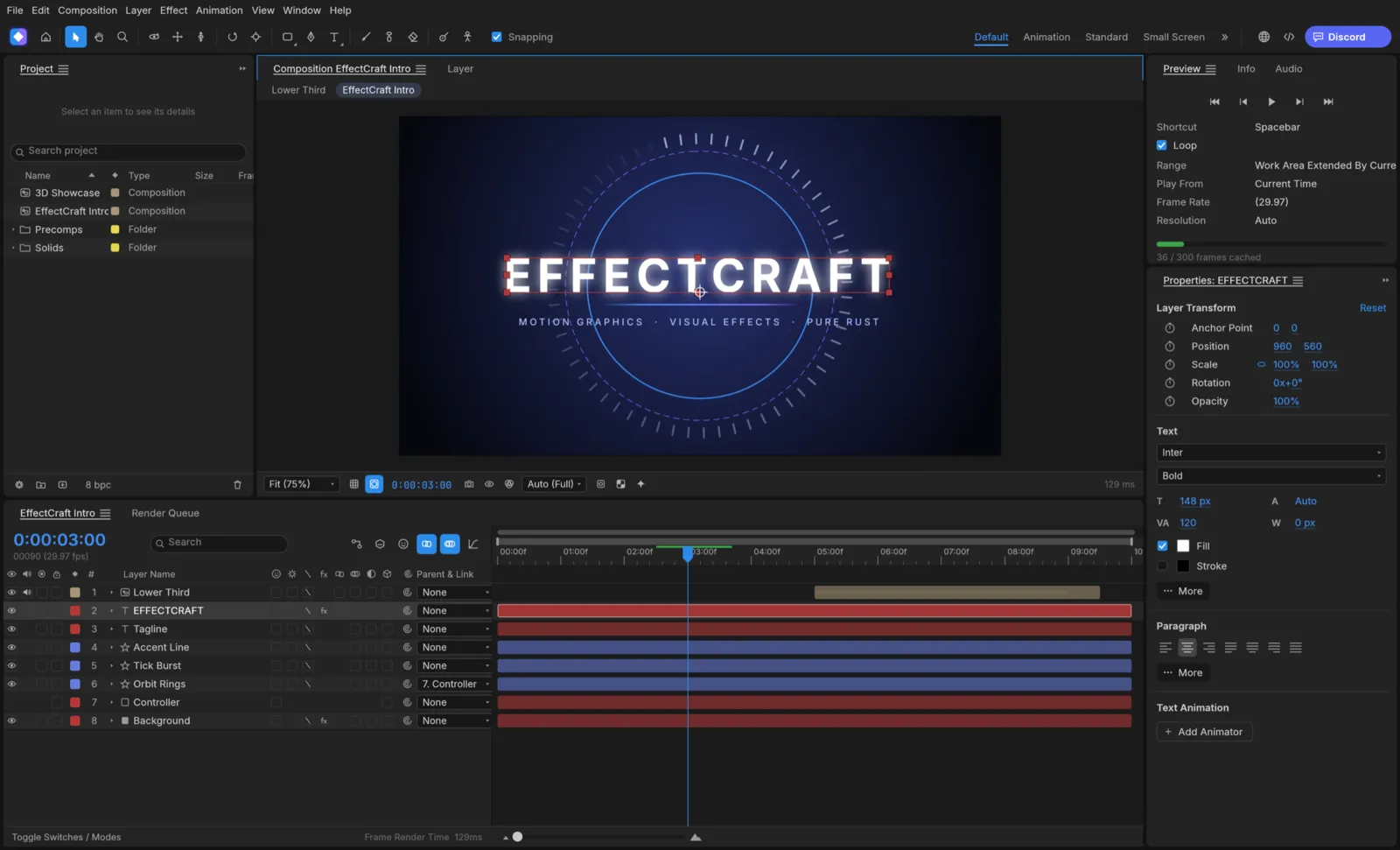
EffectCraft is an app for animated titles, motion graphics and compositing. You build a composition from layers (solids, shapes, text, footage and other compositions), animate their properties with keyframes, add effects, and render the result as a video. If you have used After Effects, it will feel familiar: the panels, menus and shortcuts follow it. It runs on Windows, macOS, Linux, FreeBSD and in a web browser. It is free and open source (MIT or Apache-2.0), and made by the ArtCraft team.
What it does
Section titled “What it does”- Layers: solids, shapes, text, footage, nested compositions, nulls, adjustment layers, cameras and lights, with parenting, track mattes and blend modes.
- Animation: keyframes with easing, a Graph Editor, time remapping, markers, and expressions written in JavaScript, such as
wiggleandloopOut. - Shapes, masks and text: shape layers with trim paths and repeaters, masks drawn with the pen, and text with animators.
- Effects: over 300 built-in effects, from blurs and color correction to particles and keying, plus the nine layer styles.
- 3D: 3D layers, cameras with depth of field, and lights with shadows.
- Tracking and roto: motion tracking, Warp Stabilizer, a 3D camera tracker and Roto Brush.
- Render: a Render Queue that writes H.264, HEVC, AV1, ProRes, WebM, image sequences, GIF and audio, with no extra software to install.
Your files
Section titled “Your files”Projects are saved as .ecproj files. They are readable JSON, so they also work with version control.
EffectCraft imports video, audio and still images, image sequences, Photoshop (.psd), PDF and Illustrator files, and Lottie animations. It can also import After Effects projects (.aep and .aepx), with some limits: see After Effects projects.
It exports through the Render Queue, and also as Lottie (.json or .lottie) for the web and apps.
What you need
Section titled “What you need”- Windows (64-bit, ARM or 32-bit), macOS (Apple silicon or Intel), Linux, or FreeBSD.
- A graphics card that supports DirectX 12, Vulkan or Metal is best. Without one, EffectCraft composites on the processor, which is slower.
- Or a modern web browser, for the web version.
Guides
Section titled “Guides”- Getting started: make, animate and render your first composition.
- Install and update: download EffectCraft for your system.
- Workflows: footage, keyframes, effects, rendering, Lottie and plug-ins.
- After Effects projects: bring projects over from After Effects, and back.
- AI agents: let an AI assistant build and render compositions.
- Troubleshooting: fix common problems.