PdfCraft
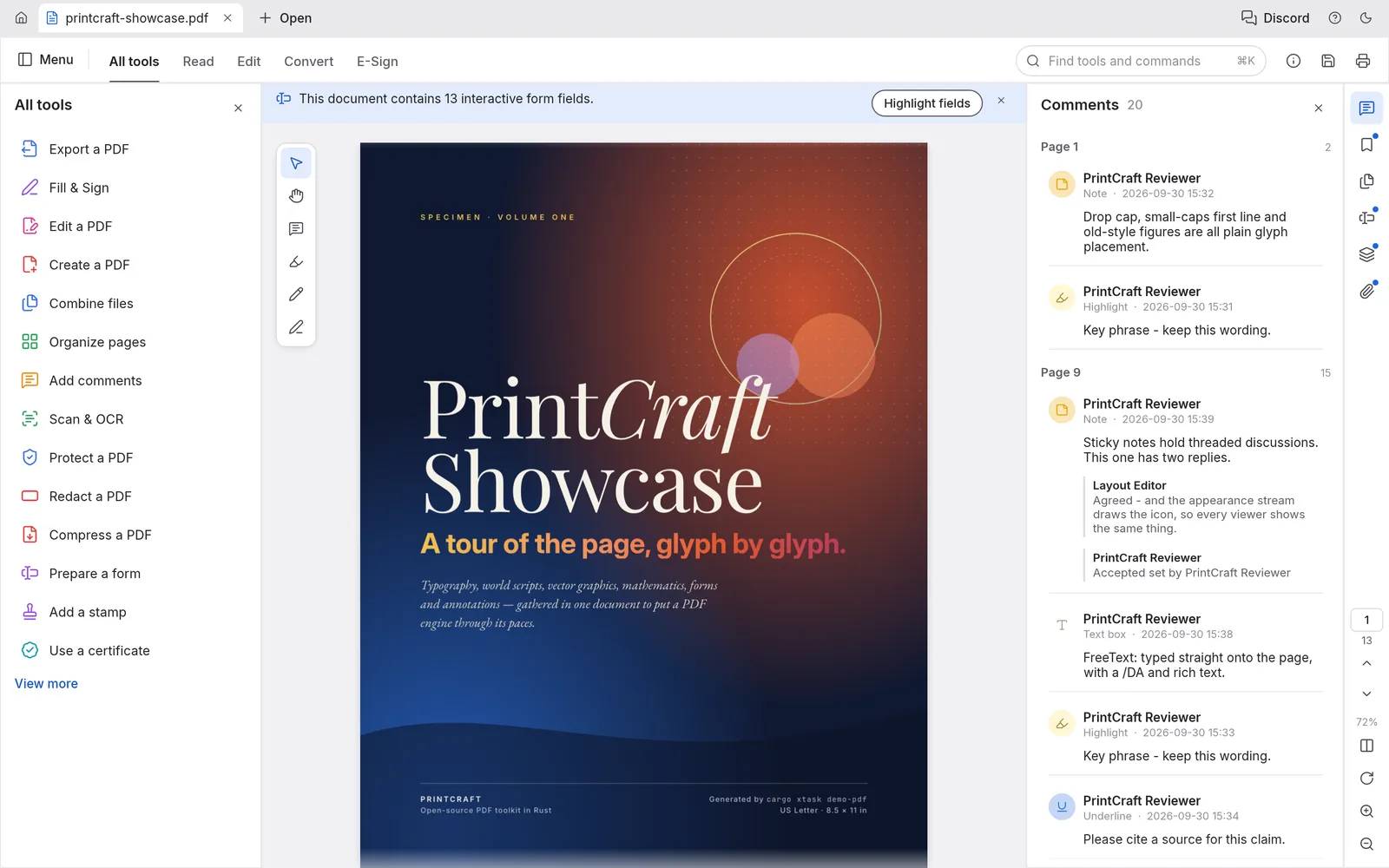
PdfCraft is an app for working with PDF files. You can read them, search them, add comments, reorder and combine pages, fill in and sign forms, and protect them with a password. It runs on Windows, macOS, Linux, FreeBSD and in a web browser. It works offline, with no account and no telemetry. It is free and open source (MIT or Apache-2.0), and made by the ArtCraft team.
What it does
Section titled “What it does”- Read: single-page or two-page view, continuous scrolling, full screen and read mode, a dark theme, find and advanced search, bookmarks, thumbnails and layers.
- Comment: sticky notes, highlights, underlines, strikethroughs, text boxes, freehand drawing, shapes and stamps, all listed in the Comments panel.
- Organize pages: rotate, delete, insert, replace, extract, duplicate and crop pages, combine several files into one, or split one into several. See Organize pages.
- Forms and signing: fill in forms, add your signature or initials, make your own forms, and sign with a digital ID. See Forms and signing.
- Protect: password protection, redaction, and removing hidden information.
- Convert: export to Word, PowerPoint, RTF, HTML, text or images, make PDFs from images, and reduce file size.
- Scan & OCR: recognize text in scanned pages, so you can search and copy it.
Your files
Section titled “Your files”PdfCraft opens and saves PDF files. When you save over a file, PdfCraft adds your changes to the end of it, so the original content is kept. It can also make a PDF from images, from other files, or from what’s on the clipboard.
What you need
Section titled “What you need”- Windows (64-bit, ARM or 32-bit), macOS (Apple silicon or Intel), Linux, or FreeBSD.
- Or a modern web browser, for the web version.
Guides
Section titled “Guides”- Getting started: open, comment on and save your first PDF.
- Install and update: download PdfCraft for your system.
- Workflows: reading, comments, editing, protecting, converting and OCR.
- Organize pages: reorder, combine, extract and split pages.
- Forms and signing: fill in, sign and make forms.
- AI agents: let an AI assistant work with your PDFs.
- Troubleshooting: fix common problems.