
FilmCraft
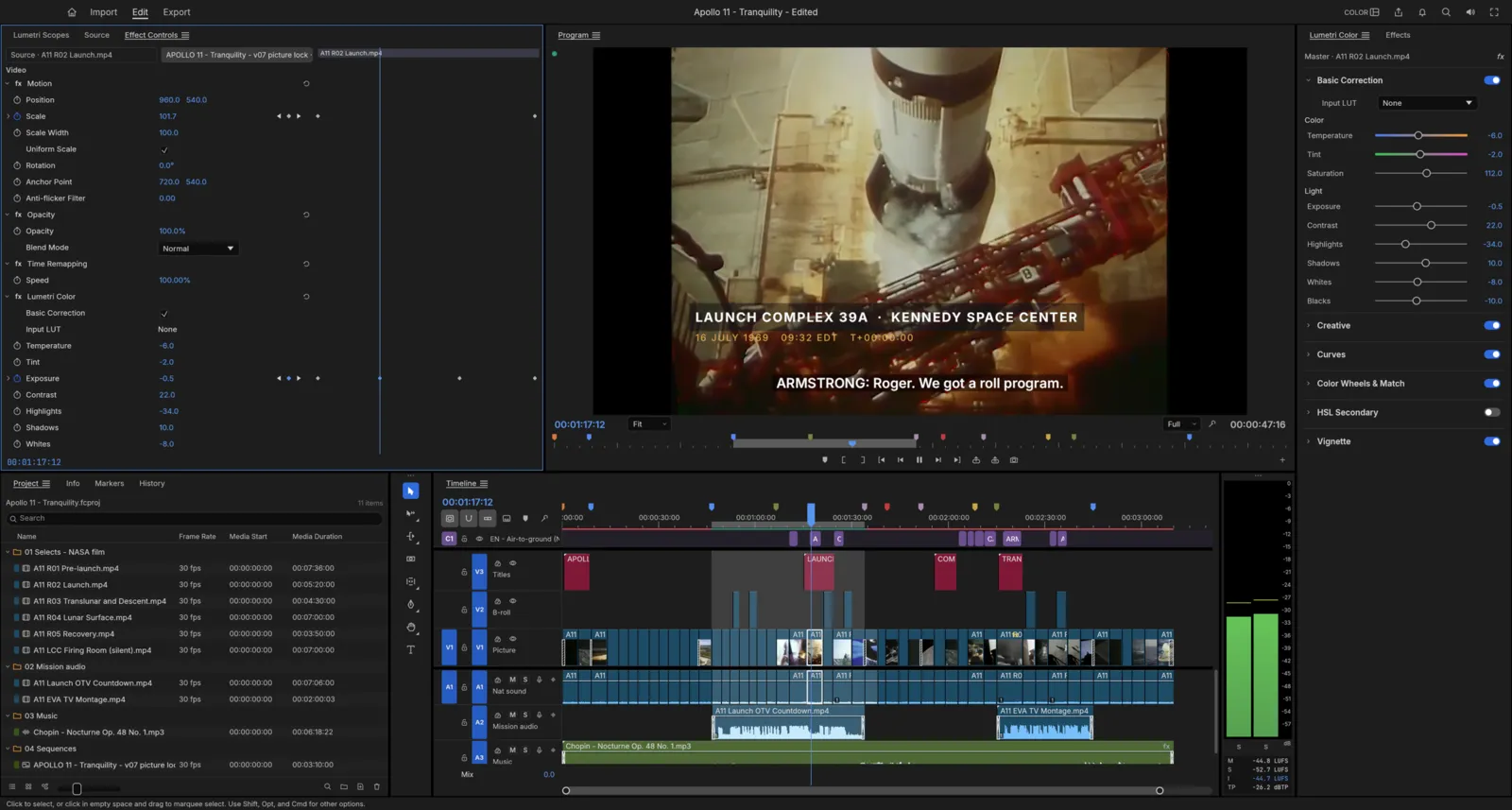
FilmCraft is a non-linear video editor. If you have used a professional editor before, it will feel familiar: Source and Program monitors, bins, a multi-track timeline, workspaces and the usual editing keys are all there. It runs on Windows, macOS, Linux, FreeBSD and in a web browser. It is free and open source (MIT or Apache-2.0), and made by the ArtCraft team.
What it does
Section titled “What it does”- Editing: three-point editing with insert and overwrite, lift and extract, and ripple, roll, slip, slide, rate stretch and razor tools. Markers, nesting, multicam and unlimited undo.
- Color: the Lumetri Color panel, with Basic Correction, Creative looks, Curves, color wheels, HSL Secondary and Vignette, plus waveform and vectorscope.
- Effects and motion: a library of video effects and transitions, position, scale, rotation and opacity on every clip, blend modes, and keyframes with value and velocity graphs.
- Audio: clip effects such as EQ, filters, a limiter, reverb and noise reduction, the Audio Track Mixer and Audio Clip Mixer, automation, and loudness meters.
- Titles and captions: type, shapes and graphics on the Program monitor, and caption tracks you can import and export as SRT, WebVTT or SCC, or burn into the picture.
- Export: H.264 MP4, Apple ProRes, DNxHR, MXF, image sequences, animated GIF and audio files, in the background while you keep editing.
- Interchange: send timelines to and from other editors as Final Cut Pro XML, FCPXML, OpenTimelineIO, EDL, AAF and OMF.
- AI agents: every command can be run by an AI assistant. See AI agents.
Your files
Section titled “Your files”FilmCraft saves projects as .fcproj files. Your media stays where it is: a project only points to it.
It opens the common camera and delivery formats, including H.264, HEVC, ProRes, DNxHD and DNxHR, VP8, VP9 and AV1 video, in MP4, MOV, MKV, WebM, AVI, MXF and MPEG transport streams. It opens WAV, AAC, MP3, FLAC and other audio, and PNG, JPEG, GIF, WebP, TIFF and BMP stills. It can’t open camera RAW video yet.
Saving is crash-safe, auto-save keeps earlier versions, and FilmCraft offers to bring back unsaved changes after a crash.
What you need
Section titled “What you need”- Windows (64-bit, ARM or 32-bit), macOS (Apple silicon or Intel), Linux or FreeBSD.
- Or a modern web browser, for the web version.
Hardware decoding is used on macOS and Windows, and for H.264 and HEVC on Linux. Some effects and color grading still run on the processor, so large footage can be slow.
Guides
Section titled “Guides”- Getting started: open FilmCraft, cut a sequence and export it.
- Install and update: download FilmCraft for your system.
- Workflows: editing, trimming, color, effects, audio, titles, export and interchange.
- AI agents: let an AI assistant edit with FilmCraft.
- Troubleshooting: fix common problems.