
DesignCraft
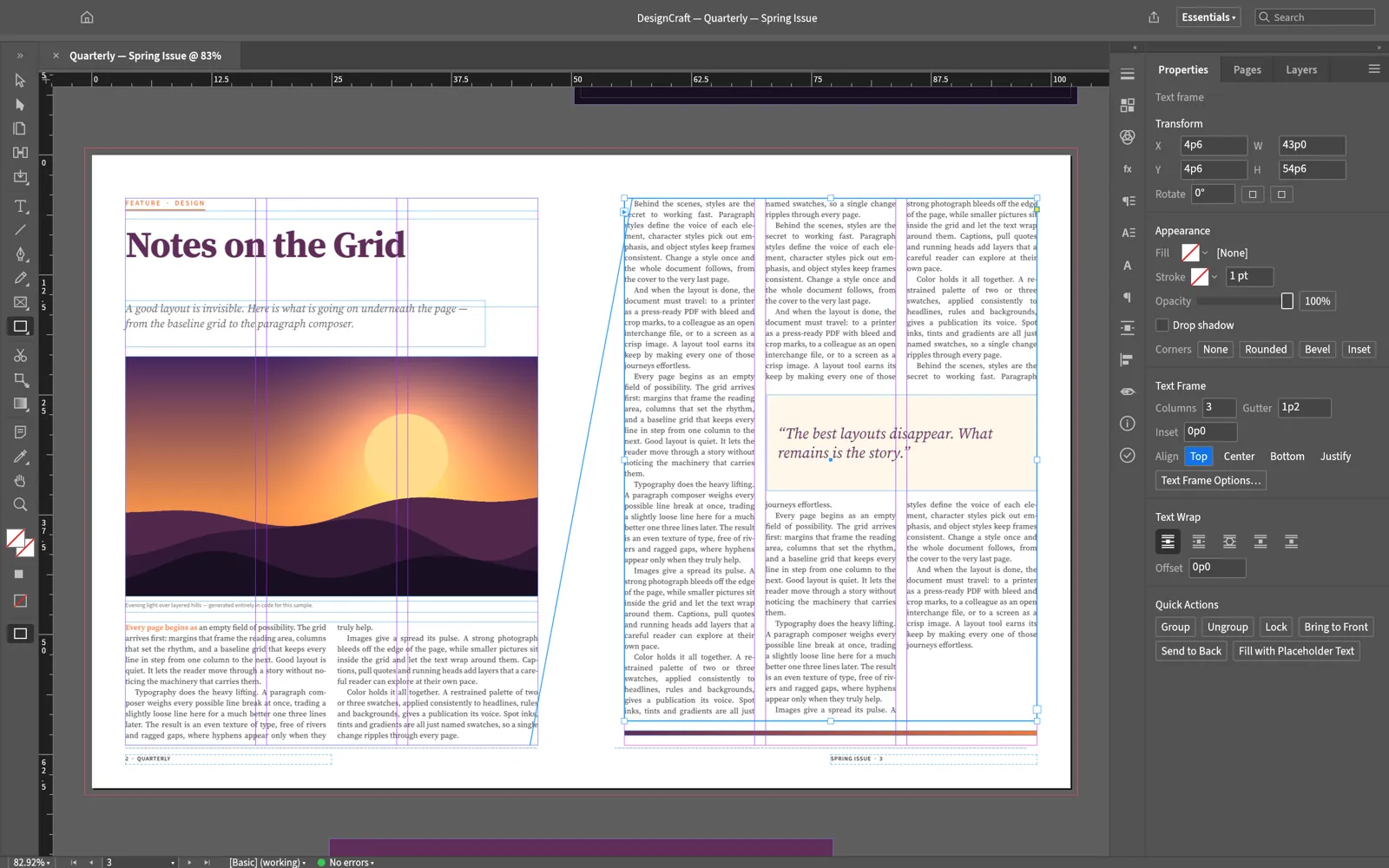
DesignCraft is a page layout and publishing app, for magazines, brochures, books, posters and anything else made of pages. If you have used InDesign, it will feel familiar: the tools, menus, panels and most shortcuts are where you expect them. It runs on Windows, macOS, Linux and FreeBSD, and in a web browser. It is free and open source (MIT or Apache-2.0), with no subscription, license server or telemetry, and is made by the ArtCraft team.
What it does
Section titled “What it does”- Pages: spreads and facing pages, parent pages, margins and columns, guides, and a baseline grid.
- Text: text frames that thread from one to the next, columns, text wrap, tabs, footnotes, lists and tables.
- Type: paragraph and character styles, hyphenation, justification and optical margin alignment. Line breaks are the same on screen and in the PDF.
- Color: swatches, CMYK and RGB colors, tints and gradients, and separations and overprint previews.
- Pictures and shapes: place images, PDFs and Illustrator files into frames, then fit, crop and wrap text around them.
- Long documents: tables of contents, indexes, cross-references, books and data merge.
- AI assistants: Claude and other assistants can lay out and edit documents. See AI agents.
Your files
Section titled “Your files”DesignCraft saves its own .designcraft files. It opens InDesign Markup (.idml) files and InDesign documents and templates (.indd, .indt), and exports IDML to hand work back to InDesign. See InDesign files.
It exports PDF (including PDF/X-4 and PDF/A-2b), PNG, EPUB, HTML, PowerPoint (.pptx), XML and plain text.
What you need
Section titled “What you need”- Windows (64-bit, ARM or 32-bit), macOS (Apple silicon or Intel), Linux (x86_64, ARM64 or RISC-V), or FreeBSD.
- Or a modern web browser, for the web version.
Guides
Section titled “Guides”- Getting started: make and export your first layout.
- Install and update: download DesignCraft for your system.
- Workflows: pages, text, styles, pictures, color and export.
- InDesign files: open InDesign work and send it back.
- AI agents: let an AI assistant lay out documents.
- Troubleshooting: fix common problems.